

Loading...
 Multi-tenant helpdesk for growing teams


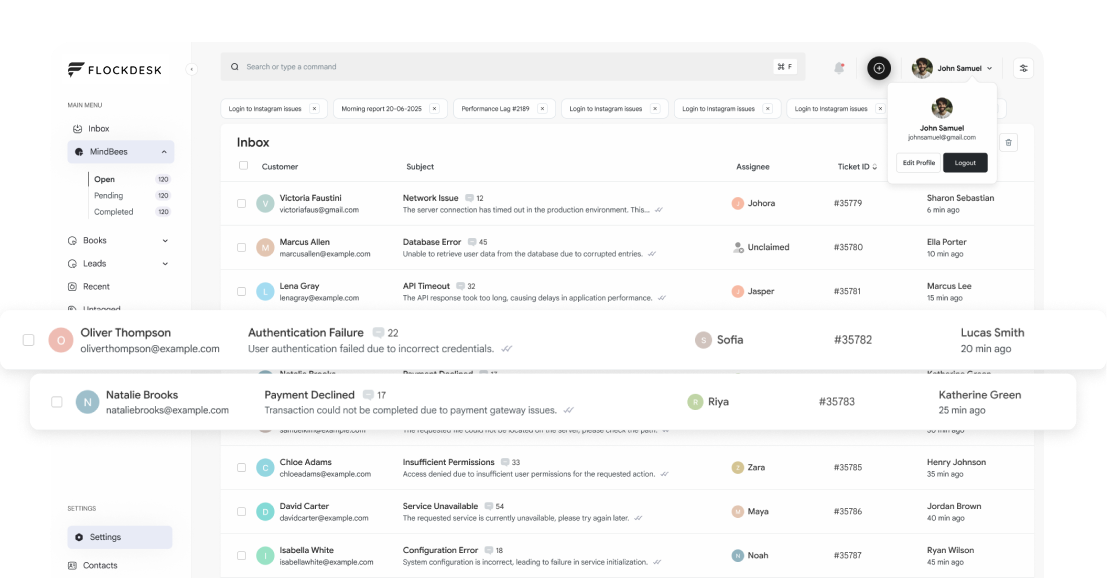
Manage customer conversations, tickets, and team workflows from one workspace designed to keep support organized and efficient.
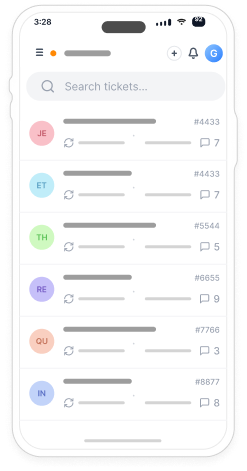
Manage customer tickets from a centralized workspace with organized workflows, smart filtering, and collaborative tools designed to keep support efficient and responsive.
Start Free TrialManage customer tickets from a centralized workspace with organized workflows, smart filtering, and collaborative tools designed to keep support efficient and responsive.
 Use Cases
From early-stage startups to growing support teams, FlockDesk helps you deliver organized, scalable customer support.
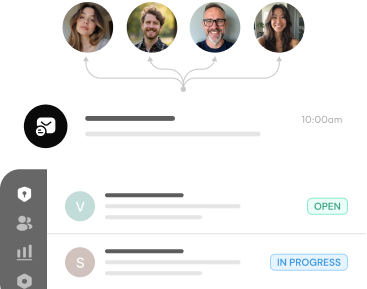
Manage customer conversations in one place and help your team stay organized. Keep your support team aligned through a shared workspace.
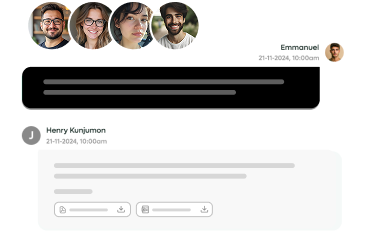
Launch professional customer support from day one with tools that help your team stay organized and scale confidently as you grow.
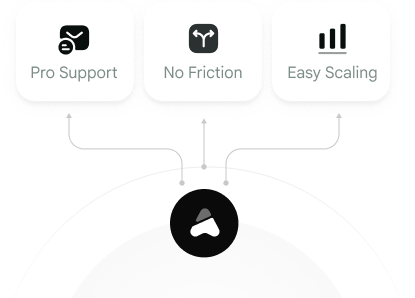
Move beyond shared inboxes with structured ticket management, clear ownership, and workflows designed to support higher ticket volumes.
 Core Features
Everything your team needs to manage customer support efficiently, from ticket management and automation to secure collaboration and email-based support.
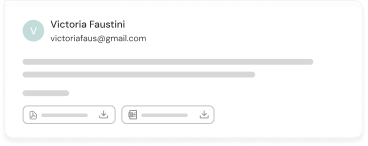
Start Free TrialConvert incoming emails into organized support tickets with complete conversation history, helping teams respond faster and stay aligned.
Keep customer data secure with dedicated workspaces and isolated environments designed to support growing organizations.
Manage access securely with separate permissions for Admins and Agents, ensuring every user has the right level of access.
Automate ticket routing, assignments, notifications, and repetitive tasks to improve efficiency and reduce manual work.
Track customer email activity with send, received, and read status, giving your team better visibility into every conversation.
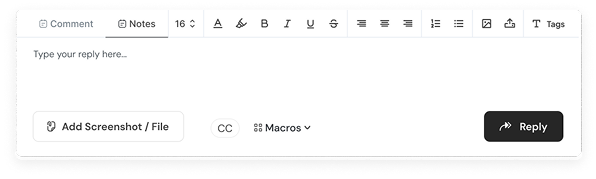
Collaborate efficiently using internal notes, ticket assignments, and shared conversations without leaving the workspace.
 Flockdesk vs Others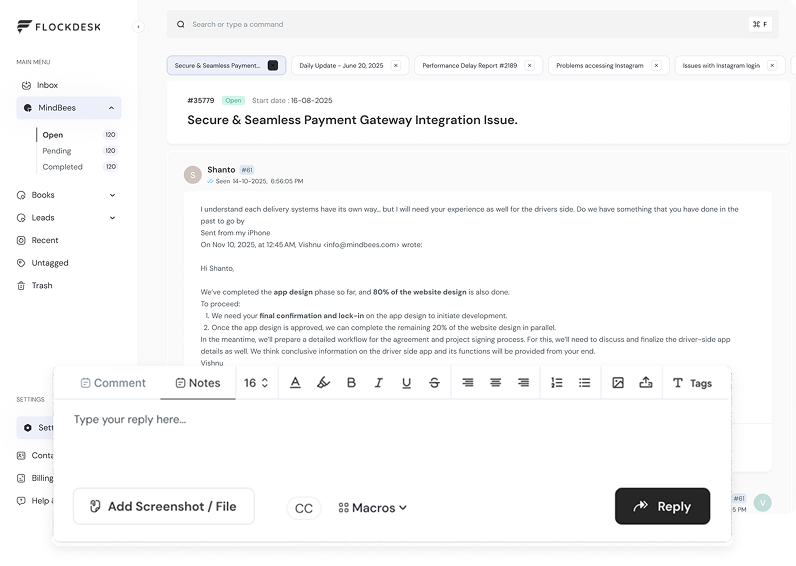

A unified customer support platform that helps teams organize conversations, manage tickets efficiently, and collaborate from one secure workspace.
 How It Works
No complex setup. No lengthy onboarding. Just a clean, fast path to better support.
Add your support email addresses to Flockdesk

Set up your support teams with roles and permissions
Incoming emails automatically become tickets
Use tags, macros, and automation to work faster
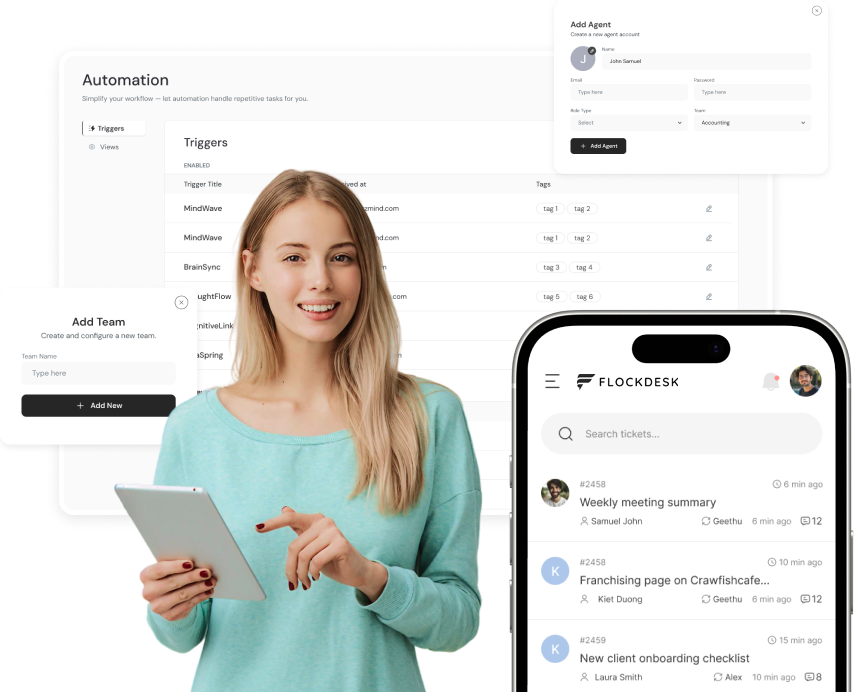
 Why Teams Love Flockdesk
 Loved by Support Teams
Join hundreds of teams delivering exceptional customer support with FlockDesk.
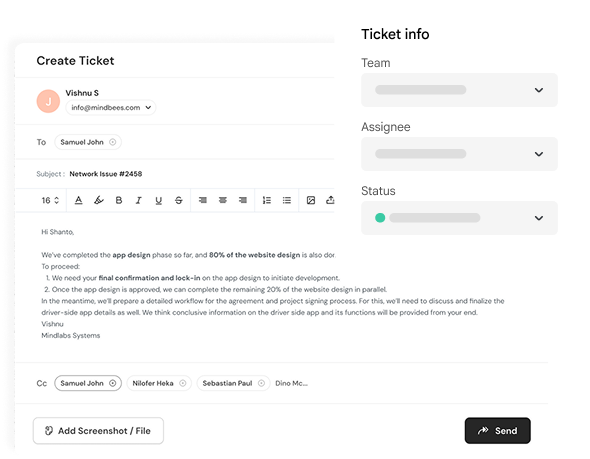

 Blog
BlogThere is no guessing in excellent customer support services. There is only measurable performance. Each customer support engagement provides a picture of your support team's work. How soon have they responded? How long does it take to fix an issue? Is the customer happy with the interaction? If you do not use certain metrics, answering all these questions becomes impossible. For many companies, quick responses to customer emails are the only goal. Of course, promptness is a significant element of providing outstanding customer support, but there is much more that goes into providing the best customer experience. It is here where customer support metrics play an instrumental role. Using the support metrics gives you valuable insights into your team's work and helps you understand what works well, what takes time, and how customer service could be improved. Using Flockdesk allows you to get such insights easily. Without having to gather data from emails and spreadsheets, Flockdesk is a powerful tool that helps your company grow. This guide will help you understand the top ten customer support metrics, their significance, and how Flockdesk enables your support team to track and optimize them all. Highlights Learn about the customer support metrics that all growing businesses need to track. Understand how performance tracking translates into improved customer experience. Learn about the impact of each metric on productivity and support. See how Flockdesk simplifies support reporting for you. Turn your support operations data-driven. Why Customer Support Metrics Matter Imagine yourself running a sales team but not being aware of the number of successful deals. And imagine yourself running a marketing campaign without keeping track of website visits. This situation is also relevant for customer support. With the help of metrics, you get to know whether the performance of your customer support team improves, deteriorates, or stays on the same level. The following questions can be answered using metrics: Are the clients receiving their replies on time? What is the longest part of the process? Is the load equally distributed among the employees? Are there any SLA breaches? Is the experience of the client improving over time? The ability to answer these questions positively makes it possible for companies to make decisions that could improve their performance. Instead of trying to deal only with existing issues, the managers can monitor trends and constantly improve things. How Flockdesk Helps You Track Support Performance The manual process of collecting customer support information may take up quite some time. Support managers spend plenty of time going through their emails, exporting spreadsheets, and preparing reports in order to get an insight into the performance of their support team for the week or month that passed by. But Flockdesk makes it all easy for you. The interaction is monitored using this solution, and thus, provides your team with a full picture of support performance effortlessly. Your business will be able to: Monitor response and resolution times. Track ticket volumes and loads. Evaluate the efficiency of your team. Check SLA performance. Analyze customer support trends. Identify repeated issues. Rather than generating reports, team members will be able to improve their customer support performance. 1. First Response Time (FRT) First Response Time represents the time it takes for the support representative to make the first response to the customer after the latter sends out a request. Many customers use the first response to judge the whole process of support delivery. Even when the resolution of the issue takes time, it's very comforting for the customer to know that the request was accepted and is processed. Why It Matters Fast first response contributes to: Customer trust building. Frustration reduction. Customer satisfaction. Service level expectation compliance. Prolonged response times tend to lead to the generation of numerous follow-up emails, increased ticket volumes, and decreased customer trust. How Flockdesk Can Help Flockdesk monitors first response times automatically and provides insight on how fast your team responds to new requests. Workflow automation and automatic ticketing decrease the response time by sending the requests directly to the responsible support representative. 2. Average Resolution Time Average Resolution Time is the amount of time needed to fully address a customer problem. Unlike First Response Time, Average Resolution Time looks at the whole customer experience from when a ticket is opened to when it is resolved. A lower Average Resolution Time indicates efficient processes and good collaboration. Why it Matters Lower average resolution times can enable businesses to: Increase customer satisfaction. Decrease ticket backlog. Enhance staff productivity. Establish trust with customers for the long term. However, the importance of accuracy must always be kept in mind. It's not enough to resolve problems quickly; it's also important to do it right the first time. How Flockdesk Helps Flockdesk provides support teams with the tools to resolve tickets effectively. These include ticket routing, internal communication tools, ticket conversations history, and more. 3. Ticket Volume Ticket Volume is the total number of tickets generated during a particular period of time. Having knowledge of ticket volume would be useful for companies to allocate their resources based on their requirements. Some reasons for higher ticket volume may be: Product-related issues. Down times in services provided. Seasonality of demand. Marketing campaign resulting in generating new clients. Recurrent inquiries that need more documentation. Why it Matters By having information on ticket volume, the companies would be able to: Allocate the staff appropriately. Distribute work loads effectively. Understand the customer issues being faced recurrently. Plan ahead for the support requirements. How Flockdesk Helps Flockdesk provides great insight into the total ticket volume generated. 4. Ticket Backlog Ticket Backlog is the total number of pending customer support tickets that require to be resolved. A rising backlog ticket is usually a red flag that signals your support staff is getting swamped. Though sporadic growth is normal for busy periods, a continuous backlog is usually the result of process problems or some inefficiencies in the system. Why it Matters Managing the ticket backlog allows companies to: Achieve faster response rates. Increase customer satisfaction. Avoid overloading the support staff. Prioritize critical customer tickets better. How Flockdesk Helps With Flockdesk, the managers can have access to live updates regarding open tickets and ticket statuses and agents' load, thus being able to balance the workload and avoid building up unresolved tickets. 5. Customer Satisfaction Score (CSAT) Customer Satisfaction Score, also known as CSAT, measures how satisfied customers are with their customer support. After the resolution of the ticket, customers will be asked about the following question: "How satisfied were you with the support you received?" The responses reveal how good your customer support is. Why it Matters Customer satisfaction is one of the key parameters of the quality of customer support. If the score is high, it could be the sign of the following: Issues are being solved effectively. Customers are being informed properly. Expectations of customers are being met. Good customer relations are being built up. A low score will help you to identify the issues that could go unnoticed otherwise. How Flockdesk Helps Flockdesk provides for recording all customer interactions in one place, making it possible to provide consistently good customer support services. With the help of reports and ticket history, you will be able to find out what influences customer satisfaction. 6. SLA Compliance The Service Level Agreement (SLA) defines the desired time targets that your team tries to meet. SLA compliance reflects how consistently your team meets its commitments. Example targets might be such as: Respond in 2 hours. Sort out billing problems in 24 hours. Fix technical problems in 48 hours. Meeting these targets will build up client confidence in their service levels. Why it Matters With SLA compliance, you as a business can: Offer consistent customer support services. Find the workflow bottlenecks. Concentrate on priority requests. Enhance team accountability. How Flockdesk Helps Flockdesk offers SLA management functionality that enables teams to track their time targets for responses and resolutions. Managers will see overdue tickets so they can solve all the issues before affecting the clients. 7. Agent Workload Not all support agents have the same number of tickets. Agent Workload tells you how evenly tickets are shared among your team members. With no information about agent workloads, it can happen that some team members are too busy while others have enough time to manage more tickets. Why it Matters Workload balance is good for business because: It avoids overloading employees. It reduces response times. It increases productivity. It distributes tickets among agents in an even manner. In general, balanced teams are often more efficient. How Flockdesk Helps Flockdesk allows managers to see who owns what tickets and what agent has been doing. 8. Ticket Reopen Rate The case of a ticket being considered as reopen would occur whenever the customer contacts the helpdesk even after the resolution of that particular issue. Whereas reopening a couple of tickets is common, repeatedly opening tickets can mean that there is still a problem that was not solved initially. Why it Matters In keeping track of those tickets that have been opened again, organizations will get to: Improve the quality of resolution. Find recurring issues. Avoid duplicating efforts. Create trust from customers. Resolving an issue in a single attempt is usually better than solving the issue but not in full. How Flockdesk Helps With its history of all the tickets, Flockdesk helps organizations find out why tickets continue to open through analysis of the past interactions with the customer. 9. Escalation Rate There might be some customer requirements which would require the intervention of a higher authority or perhaps another department. The escalation rate is the number of times the ticket has been escalated from the initial agent. While it is very common for any business to experience escalations, an escalated rate may indicate: Knowledge gap. Training needs. Process flow issues. Complex product. Why it Matters Monitoring escalations can help businesses to: Train employees effectively. Keep records of the issues efficiently. Resolve the issue quickly. Reduce customer wait time. How Flockdesk Helps Flockdesk makes it possible to collaborate amongst agents through tickets, notes, and chats. 10. Agent Productivity Agent Productivity is a metric that indicates how efficient an agent is at processing customer queries. Rather than focusing on just the volume of tickets that are closed by the agent, an organization should look at metrics such as quality, efficiency, and customer satisfaction while evaluating agent productivity. Successful agents are those who manage to provide the solution correctly and offer good customer experience. Why it Matters While assessing productivity of the agents who work in support, organizations could: Determine what training is needed. Optimize their processes. Discover top-performing agents. Plan ahead for staffing. How Flockdesk Helps Flockdesk offers you reporting tools that allow you to track trends in ticketing, workload, and agent performance. Turning Metrics Into Better Customer Support Gathering customer support analytics is just the first step. It is when you apply those findings that you get results. For instance: With an increased First Response Time, examine the distribution of tickets and staff. If the Resolution Time is too high all the time, find out the causes of bottleneck in the work process. If the number of Tickets per Day rises sharply after launching a new product, dig into repeatable issues. If customers' Satisfaction scores drop, analyze their conversations and discover the reason. If the backlog of Tickets keeps increasing, automate routine actions or redistribute workload. A few small tweaks based on real facts can bring about big changes in terms of client experience and work performance. That is where the power of Flockdesk goes beyond ticketing. It helps companies learn how well their support team works. Frequently Asked Questions Which metric for customer support should be preferred? None of them. The company has to observe the following metrics: First Response Time, Resolution Time, Customer Satisfaction, SLA Compliance, Ticket Backlog and more to learn how the customer support operates. How often should customer support metrics be analyzed? Customer support metrics are analyzed by the companies on a weekly and monthly basis to reveal the emerging tendencies and make improvements in order not to encounter any problems in the future. Could customer support metrics be helpful for small companies? Of course, customer support metrics will be helpful for small companies to become more effective in handling tickets and providing a better experience to customers. Are there any customer support metrics reporting capabilities in Flockdesk? There are some customer support metrics reporting capabilities in Flockdesk as this software allows evaluating ticket activity, response time, workload, SLA performance and more customer support metrics. How could one improve the customer support performance? It is necessary to observe the proper metrics and make the necessary improvements using certain software. Conclusion Exceptional customer support does not depend on how much work you and your team have; it depends on how efficiently your team handles it. Measuring the right metrics will help you get the visibility you need in order to optimize processes, work faster, deal with problems better, and offer great customer experience. As your company grows bigger, making assumptions becomes harder and harder. The right support data will help you make decisions proactively and with quality. Flockdesk solves this problem by integrating all the features you need into one place: ticketing, reporting, automation, SLA tracking, and teamwork. You no longer need to spend hours gathering the information from multiple services; your team gets instant access to the metrics they need. Measuring these ten metrics will help you make better decisions and build up your team, whether you just start supporting your customers or grow your existing customer service department.

The customer's demands and requirements have undergone tremendous transformation during recent years. Not only do people expect that companies will respond to their requests but they also expect to get instant replies and appropriate solutions to their problems. When the company's customer base expands, it becomes more and more challenging for such organizations to address the increasing number of requests with the help of simple methods like email exchanges or using spreadsheet systems. This is why a helpdesk ticketing system can become indispensable in such cases. A modern ticketing system will turn any request of customers into a process, making it possible for support teams to see the entire conversation, its owners and progress. With the help of ticketing, a company can change its response into a repeatable process. Key Highlights Understand what a help desk ticketing system is and why businesses use one. Learn how customer requests move from email to resolution. Discover the core features every modern ticketing platform should include. Compare manual support processes with organized ticket management. Find out why scalable support starts with the right workflow. What Is a Help Desk Ticketing System? The help desk ticketing system is software that turns customer support tickets into tickets. Each ticket becomes an organized ticket which holds the information about the customer's request, the conversation, the agent who deals with it, priority, and the current state of affairs before the problem is solved. Rather than dealing with the customer's communication via scattered e-mails and chat messages, all communications are stored in one workspace. No matter whether the customer contacts because of a technical problem, he needs to receive his money back, ask a product question, or provide some feedback – each case will become a ticket which will be able to be assigned, prioritized, controlled, and solved. In brief, a help desk ticketing system is a way to organize customer support. Why Businesses Need a Ticketing System Companies start with customer support by managing their customer questions via one common email box. Although it works fine in the initial phase of operation, it gets harder to cope when more customer messages come in. Problems that can arise are: Missing emails during peak hours. Agents giving responses to the same customer. Lack of accountability for the customer question. Inability to see what remains open. Measuring agent's performance is difficult. Customers need to repeat themselves on different channels. It is not that these problems occur due to employee's unwillingness to do things. It happens due to lack of structure within the support process. A ticketing system solves all these problems by putting order into the chaos. How Does a Help Desk Ticketing System Work? While each platform offers something unique, the process involved is the same. Step 1: A Request is Received by a Customer The requests can be made through various sources, including: Email Contact forms Customer portal Chat Inwardly Rather than keeping these discussions in various locations, the platform keeps them all in one central location. Step 2: Converting the Request into a Support Ticket Each request is then turned into a support ticket, containing some crucial information like: Customer's name Contact information Subject Chat history Attachments Priority of the request Agent or team responsible for the request Status of the ticket The whole discussion is recorded in one ticket, offering the agent everything he needs to know without digging into previous emails. Step 3: Ticket Assignment The generated ticket is then assigned to the individual or individuals responsible for the ticket. A ticket may be automatically assigned depending on the following factors: Type of product Department Type of customer Priority of issue Keywords Working hours Automatic assignment of tickets saves time and ensures appropriate requests are made. Step 4: Resolution of Issues by the Team It will be easy for the customer support agents to collaborate using the same information. These involve: Writing internal notes. Collaborating with coworkers. Ticket transfer. Issue escalation. Combining duplicates. Document upload. This is because they will be working on one ticket. Step 5: Ticket is Closed Once the problem is solved, the ticket is closed. This process keeps important records, such as: Resolution time Response time Complete communication record Interactions with customer Interactions with agent This information proves helpful in analyzing the performance of the business in providing customer support. Benefits of the Help Desk Ticketing System A ticketing system comes with benefits other than the fact that it organizes the dialogue with the customers. Less Delay in Response Times Time saved by help desks through search for information is used for solving customer issues. Centralization, automation, and ownership are responsible for reducing delays. Collaboration Customer service is normally performed by more than one department. In cases where there are technical problems, the help from engineering team is required; while in case of billing issues, help from the finance department is required. Collaboration becomes easy due to centralization, avoiding sending emails back and forth. Enhanced Customer Experience Consistency is appreciated by customers. With agents having the ability to see prior chats and tickets in full, customers do not have to repeat the same problem. This ensures quicker resolution and a better support experience for them. More Transparency There is more transparency when it comes to seeing how the support works. The managers are able to monitor the workloads, bottlenecks, etc. without making any assumptions. Ease of Business Scaling The business is able to grow its support operations easily as customers' inquiries grow. There are many ways in which that can be achieved. Essential Features Every Help Desk Ticketing System Should Include Not all platforms have the same abilities. It is very important to select software with the right kind of features as the company expands. Feature Why It Matters Unified Inbox Centralizes customer conversations in one workspace. Email-to-Ticket Conversion Automatically creates tickets from incoming emails. Ticket Assignment Ensures every request has clear ownership. Workflow Automation Reduces repetitive manual work. Internal Notes Enables private collaboration between team members. SLA Tracking Helps teams meet response and resolution commitments. Analytics & Reporting Measures team performance and customer support trends. Role-Based Access Protects customer information with controlled permissions. It is not about selecting software with the highest number of features, but those that help make the work better. Importance of Automation The support team need not spend any more time on ticket assignments, changing ticket status or sending notifications repetitively. For instance: Automatic assignment of tickets based on departments. Raising critical concerns. Ticket status change after customer reply. Notifying about SLA expiration. Notifying the manager about the pending tickets. Automation will help to reduce the burden of monotonous work of the support agent and enable him to focus on solving the problems faced by the customers. Today's customer service needs a lot more than simply replying to the customer emails. Shared Inbox vs. Help Desk Ticketing System Most companies begin their customer support operations with a shared email inbox. This is a straightforward and easily accessible way of handling customer queries if the number of such queries is not very high. However, when customer interactions increase, the shared inbox may generate problems rather than solve them. There is no way to manage the tracking of ownership, progress, and performance of the team without a proper workflow process. A help desk ticketing system resolves these issues by making sure that all interactions with customers go through a process workflow. Feature Shared Inbox Help Desk Ticketing System Customer request tracking Manual Automatic ticket tracking Ticket ownership Unclear or manual Assigned to specific agents Team collaboration Email forwarding Internal notes and shared ticket history Automation Limited Automated routing and workflows SLA monitoring Not available Built-in tracking and alerts Performance reporting Basic Real-time dashboards and analytics Scalability Suitable for small teams Designed for growing businesses Shared inbox tools are sufficient only when it comes to small support teams. As the number of customer queries increases, companies will need dedicated help desk solutions. Signals That Your Company Requires More Than Manual Processes As a company grows, it becomes increasingly difficult to manage its support process manually. In case any of the following scenarios occur frequently at your company, it might be time to consider implementing a helpdesk ticketing system. Sometimes, customer emails go unnoticed. Sometimes, two agents reply to the same request. Your agents ask who is in charge of managing the conversation. Your managers find it hard to track the progress of the tickets. The response times keep getting longer. All customer data is spread throughout multiple emails. It is hard to gauge the efficiency of the support process. These problems do not stem from bad customer service - rather, they are the symptoms of inefficient support processes. How to Select an Appropriate Help Desk Ticketing System There are plenty of help desk systems on the market to choose from. Rather than thinking about the cost or quantity of functions offered by a system, consider whether a particular software is suitable for your team's current processes and future development needs. Select Software That Aligns With Your Process Every support team works in its own way. Figure out how your current process flows before making a choice. Think about such questions as: Where do your support requests come from? Who is responsible for handling certain requests? What kind of routine actions are there? How are the urgent requests being handled? What reports does the management require? This knowledge will help you select software which enhances your current process rather than complicates it. Focus On Ease of Use A great platform will mean nothing if your team doesn't like working with it. Make sure the software has: An easy-to-use interface Searchable tickets Quick implementation Little need for training Easily navigable The more easily accessible the platform, the quicker your team will become productive. Identify Automated Functionality Automation makes sure that your support team does not waste time on repetitive tasks. Some examples are: Automatic assignment of tickets Automated workflow routing Priority changes Status changes Reminders Alerts for SLAs Escalation criteria Even basic automation will allow you to save hundreds of hours of work per week. Don't Forget Reporting and Analytics Measurements must be given. The following is some of the information that can be reported by the ticketing software: Average time to respond to an initial inquiry Average time to resolve the problem Ticket counts Workload of the agents SLA compliance Satisfaction metrics This sort of reporting will assist in identifying the problems and improving support performance. Think About Future Scalability The support team size requirements you have today could be vastly different in a year's time. Select a software solution that will scale up with your organization through: Supporting more people Departmental support More inboxes Higher automation Flexible work processes Reporting tools A scalable system means avoiding expensive migrations later on. Best Practices for Effective Ticket Management Technology alone does not ensure good customer support. Just as crucial is the establishment of a robust process. Here are some best practices that will help you get the best out of your help desk tool: Establish effective ticket classifications. Set priorities for various types of tickets. Assign ownership for all support tickets. Automate where and when possible. Track your SLA compliance on a regular basis. Check support reports to see which issues recur. Foster teamwork by making all tickets visible. Often small process tweaks result in large improvements in customer experience. Frequently Asked Questions What is a help desk ticketing system? Help Desk Ticketing Software is computer-based programs used to turn customer support queries into tickets that can be assigned and resolved by a central team in a work environment. What are some advantages of using ticketing software? There are various advantages that include organization, minimizing manual activities, teamwork, faster response times, and insightful reporting to help companies optimize their customer support operations. What are the benefits that small companies may get by using the help desk ticketing system? Sure, there are several of them. First of all, workflow management is the major benefit for small companies because they can offer professional services and prepare for their development at the same time. What benefits can workflow automation bring to the customer support service? Workflow automation will do routine tasks – ticket routing, assignment, notifications and status updates, while specialists will have an opportunity to solve clients' problems. Which are the performance indicators that the support teams should concentrate on? The main performance indicators which the support team should consider are: Response time Handle time Volume of tickets SLA compliance Customer satisfaction Support agent productivity Backlog The performance indicators may help identify weak areas. Conclusion The provision of excellent customer support is not just about handling customer queries promptly. In view of the increasing demands by customers, the adoption of processes will ensure that teams are coordinated and operate in a consistent manner. Help desk ticketing software integrates customer communication, ticket management, automation, reporting, and team collaboration into a single place. The adoption of the solution ensures that teams have visibility and are able to manage issues efficiently. Be it a new business or an already established business, having a good help desk ticketing software in place is essential in ensuring that organizations are able to manage their support activities in the best possible manner. Software solutions such as FlockDesk provide all that businesses require in terms of customer support because it makes the process easier to manage and also enhances the ability of companies to provide excellent customer support experiences. With time, the support process must evolve as your business continues to grow. Getting the best help desk ticketing software now will be vital in ensuring that you do so efficiently.
A dialogue is at the heart of customer support. In most cases, this dialogue starts from the customer sending an email. Customers send emails to inform about their issues with your service, claim refunds, ask questions related to your products, or inquire about an open ticket. While receiving emails from customers may not be hard for you, the challenge comes when managing these emails efficiently as you increase your customer base. Most customer support teams still use outdated methods such as manual handling of emails in a shared inbox, forwarding emails between departments, or tracking emails using spreadsheets. Although this technique works effectively with smaller teams, as soon as you get a greater number of customer emails, it will become increasingly hard to track them all. Here, Email-to-Ticket Automation offered by FlockDesk helps. In addition to treating an email as a unique communication, the tool transforms the email into a support ticket containing the entire history of the communication, information about the customer, the ticket owner, priority of the email, and the status of the issue raised. In reducing redundant tasks and ensuring all customer interactions are managed centrally, FlockDesk is able to help organizations increase efficiency and offer enhanced customer experiences. Highlights Find out more on email-to-ticket automation and its role in customer support. Discover how FlockDesk automates the creation of support tickets from emails. Find out why email management by hand hinders growing teams. Discover how automation offers many business benefits. What is Email-to-Ticket Automation? Email-to-ticket automation is a technology that helps turn customer emails into support tickets automatically, thereby enabling teams to organize, allocate, prioritize, and address all customer tickets using an easy-to-manage help desk tool. Instead of having to track several inboxes manually, companies are able to have their help desk tools automatically sort all tickets. With FlockDesk, all support emails received will be automatically turned into tickets. Each ticket will contain: Information about the customer Subject of email Message within email Conversation history Attachments to email Priority of ticket Support agent allocated to ticket Status of ticket It creates one place for everything a company needs to know about their customers. Reasons Why Support Management via Emails Is Not Scalable Email is a great communication tool; but email was not made for customer support management. As companies evolve and grow bigger, customer support teams tend to face problems that standard inboxes are unable to resolve. The most frequent problems include: Essential emails from customers getting lost in a sea of others. Several employees responding to one customer thread. Manually forwarding emails between different departments. No information about ticket ownership. Inability to track response times. No unified reporting. No collaboration among employees. All these problems not only affect the work of your support department; but also reduce overall customer satisfaction. People want answers quickly and precisely. The more time support teams spend organizing emails rather than resolving problems, the less productive they become. Email-to-Ticket Workflow With FlockDesk FlockDesk takes away all the complications that arise while managing customer support through emails by converting every email query into a ticket. This is how it happens. Step 1: A Customer Emails You Your customer queries you through a support email address and instead of keeping the thread in your mailbox, FlockDesk begins working on it right away. Step 2: Your Email Is Converted Into a Support Ticket FlockDesk converts your email into a support ticket. It extracts information such as: Information about the customer The content of the email Attachments The date and time stamp The past communication The response from the agent will also remain associated with the ticket. Step 3: The Ticket is Automatically Routed With workflow rules, FlockDesk automatically routes tickets depending on the following: Department Product Issue type Priority Keywords Customer category This process ensures that no manual sorting is required while making sure the tickets are automatically routed to the appropriate team as soon as possible. Step 4: Your Team Collaborates After being routed to an agent, the agent and his team can collaborate using the built-in collaboration tools. Your support team can: Leave internal notes. Mention their colleagues. Reassign the ticket. Escalate issues. Merge duplicate tickets. Keep track of every interaction with the customer. Step 5: Resolution of the Issue In case the issue is sorted out, FlockDesk keeps track of critical performance metrics such as: First response time Time to resolve the issue Ticket activity Performance of SLA Productivity of agents Managers get vital information for optimizing future support activities and customers experience better support. Why Businesses Adopt Email-to-Ticket Automation Technology Surprisingly, support staff spends much time doing things which can be easily done automatically. From making tickets, assigning conversations, tracking statuses, and following up on things takes up so much time that could be used serving their clients better. FlockDesk does away with such routine activities, hence enabling staff to focus on what is important-customer support. Key Benefits of FlockDesk's Email-to-Ticket Automation Benefit How FlockDesk Helps Automatic Ticket Creation Converts every incoming support email into an organized ticket instantly. Faster Response Times Automatically routes tickets to the right team without manual intervention. Clear Ticket Ownership Ensures every request has an assigned owner, reducing duplicate responses. Centralized Conversations Keeps every customer interaction together in one searchable ticket. Improved Team Collaboration Internal notes and shared ticket history help teams work together efficiently. Better Visibility Managers can monitor workloads, response times, and ticket progress in real time. For growing businesses, these improvements quickly translate into higher productivity, faster resolutions, and a more consistent customer experience. More than Ticket Generation-An Intelligent Customer Support Process The email to ticketing system is not only about automatic ticket generation. Rather, it helps you build a scalable support process for your growing company. By using Flockdesk, your team can focus less on sorting out emails and more on solving customer problems. Instead of asking "Has someone responded to this customer?" — you know the answer. Instead of asking "What is the owner of this request?" — someone has ownership of it. There is no need to manually forward emails to departments. That is how email management turns into intelligent customer support management. Requirements for Email-to-Ticket Applications Not all help desks come equipped with the same degree of utility. Even though automatic ticket generation is absolutely necessary, any expanding company should opt for an application that can help with all parts of the process. Below are a few of the most valuable features to consider when choosing your email-to-ticket application. Feature Why It Matters Email-to-Ticket Conversion Automatically creates a ticket from every incoming support email. Multiple Support Inboxes Manage different departments from one platform. Automatic Ticket Assignment Route tickets to the right team or agent. Internal Notes Allow teams to collaborate without customers seeing internal discussions. Workflow Automation Reduce repetitive tasks and improve consistency. SLA Tracking Monitor response and resolution targets. Analytics & Reports Measure team performance and identify support trends. Role-Based Access Give employees access based on their responsibilities. FlockDesk provides the above capabilities within one platform, making it easier for teams to remain organized without using multiple tools. Business Mistakes to Avoid Automation of emails into tickets is not the whole story. The way your customer support staff interacts with the helpdesk software directly affects the customers. This is some list of mistakes you should definitely avoid. Manually Assigning Tickets While assigning tickets manually may be useful for just several customer questions, it is going to become very problematic with the growth in the number of conversations. With the helpdesk software like FlockDesk, the routing rules automatically assign the ticket based on specific criteria, making sure that requests go to the correct department. Failing to Set Priorities for Requests Not every client inquiry requires the same level of urgency. It is obvious that an issue with payment, a tech failure, and the question about product have to be answered with a difference in time. Overlooking Key Performance Indicators Most businesses ignore the importance of support services until the number of complaints increases. Yet, performance of the support service needs to be evaluated on an ongoing basis. Key indicators include: First response time Time to solve tickets Number of active tickets SLA compliance Workload Satisfaction rate Evaluation of these performance indicators will make it possible to find the weak points before they affect the customers. Working With a Number of Dispersed Solutions The staff may be using a variety of different tools that include emails, spreadsheets, instant messengers, and project management software. Monitoring all these becomes too difficult. FlockDesk makes it possible to unify customer communication, tickets handling, collaboration, and analysis within one tool. Best Practices for Optimized Email Support Automation Automation and technology are always efficient when paired with well-defined business processes. The following best practices may come in handy to make sure your team extracts maximum value from your email-to-ticket automation. Unify All Customer Support Emails In case the support system consists of several departments using different email addresses, unify all emails in one place instead of dealing with several separate inboxes. Define Ticket Categories Classify tickets in such categories as: Technical Support Billing Issues Questions about Sales Customer Product Feedbacks Account Management Implement Ticket Routing Route tickets to particular teams based on department, category or priority level. In this way, you will guarantee that each request reaches its destination immediately. Evaluate and Adjust Your Workflow Regularly Businesses grow and change and so do customer support processes. Reevaluate automation rules, ticket categories, and target responses regularly. Evaluate and Refine the Process Customer support should not remain static. Frequent review of support reports and identification of repetitive problems will help you to adjust workflows and boost productivity and customer satisfaction. Why Do Growing Teams Need FlockDesk? With the increasing expectations of customers, just having an email inbox is not enough for businesses. Using FlockDesk, the growing teams get the ability to streamline their customer service by offering email management, ticket management, workflows automation, team collaboration, and reporting in a single easy-to-use system. Flockdesk enables your growing teams to: Convert all the emails into tickets. Allocate the tickets automatically to the required person. Track all the communication in one workspace. Work in collaboration through internal notes and ticket history. Monitor their response times and team performance. Scale up the customer support service without making the process complex. Instead of wasting time in managing the inbox, your growing team can now focus on solving the problem of your customers. Frequently Asked Questions What is email-to-ticket automation? This process is used to automatically convert customer emails into support tickets. In this way, organizations will be able to organize all customer support inquiries from one platform. Will email-to-ticket automation decrease response time? Certainly, the automated creation and routing of customer requests result in much faster handling of issues compared to email-based communication. Is email-to-ticket automation good for small businesses? Definitely yes, because small companies get an opportunity to organize their workflow in advance and prepare for further scaling. Does FlockDesk have support for many inboxes? Sure. With FlockDesk businesses can manage several email addresses in one workspace. How FlockDesk promotes collaboration within the team? With FlockDesk each member of the support team gets an overview of all tickets. Notes, ticket ownership, conversation history, and workflow management contribute to this effect. Why should businesses automate customer support emails? Because automation will eliminate tedious activities, decrease response time, prevent forgotten inquiries, and organize the support process. Conclusion Even though emails remain one of the key communication channels for customer support, it's not realistic anymore to manage increasing numbers of customer requests manually. Automation of emails into tickets allows companies to organize communication, establish responsibility, collaborate, and track the performance of their support department within a single platform. However, FlockDesk goes even further, integrating automation of emails into tickets with automation of workflows, reporting, role-based access and collaboration between team members. In other words, FlockDesk provides a support platform that enables businesses to provide support faster, to keep everything in order and to scale the customer service process. It's time for your company to simplify your workflow if you are still using shared inboxes or manual solutions.
There is always that starting point. As a young startup, all support tickets are usually managed using a shared email address such as [email protected] where everyone logs into the same address and tries to handle customer inquiries. This works fine for smaller teams managing only a few number of support tickets a day. The problem arises when your business starts growing. As the volume of customer support increases, it becomes more and more difficult to manage your shared inbox. Tickets start piling, there are overlapping conversations, it becomes hard to know which one of you handled what, which tickets are outstanding, how efficiently you are handling customers. This is not only a management problem but it is a customer experience problem too. Customers demand quick response time and consistency. Whenever tickets get delayed or are not being responded to, customers lose faith. This is why many growing businesses opt out of their shared inbox support ticket system and move to a full-fledged helpdesk like FlockDesk. FlockDesk helps to turn a fragmented set of emails into an efficient customer support process. Highlights Learn about the drawbacks associated with shared inboxes when support teams expand. Learn why companies move from Gmail or Outlook to FlockDesk. Learn about the differences between shared inboxes and a help desk solution. Find out how ticket management improves work efficiency. Learn about the ways FlockDesk makes teams provide timely support services. What Is a Shared Inbox? A shared inbox is an email account accessible by several employees for managing customer interaction. Typically, companies use a shared inbox for: [email protected], [email protected], [email protected], and [email protected]. Every employee signs in, opens the inbox, reads the messages and replies directly from it. It is popular because setting it up takes minimum time and requires very little training. Almost all businesses use such software as Gmail or Outlook, which makes it easy for them to start using a customer support system. However, while a shared inbox facilitates the communication process, it was not initially created for managing customer support operations. How Can You Tell When You Need Something More Than a Shared Inbox? For most companies, there comes a time when they realize that the shared inbox is no longer enough, and the first indication of such a situation is inconsistency in support. Any one of these can be an indicator that you need to change your approach to support. They might include: Two members of your team replying to the same customer's e-mail. Customer e-mails going unattended. Manual forwarding of customer e-mails between departments. Uncertainty about who should handle certain customer inquiries. Unable to keep track of the amount of time spent on replies. Not able to locate the important discussions. Not able to measure support performance. As the number of customer communications increases, these problems turn into something normal. Your employees don't work on providing excellent support but rather on managing the e-mail traffic. The Invisible Cost of Shared Inboxes From a bird's-eye view, shared inboxes look like a fairly affordable option. They are readily available, people know how to work with them, and there is no extra cost involved. Yet, what many companies tend not to see is the invisible operational cost. In case the support team works only with emails, it can waste its time on unproductive activities such as: Manual conversation assignment. Filling in on non-replied emails. Verifying if somebody has replied. Looking for past conversations. Escalating requests using other tools. Generating manual reports. Such activities lower effectiveness and slow down the process without making customers happier. In the course of company development, the cost of inefficiency can become much higher than the cost of the proper support platform itself. Shared Inbox vs. FlockDesk Email communication between the business and its customers is possible using both shared inboxes and FlockDesk. The key lies in how those interactions are handled. Shared Inbox FlockDesk Emails remain inside the mailbox Every email becomes an organized support ticket Manual assignment Automatic ticket routing and ownership Email forwarding between departments Internal collaboration within each ticket Limited visibility into workloads Real-time ticket tracking and dashboards No SLA management Built-in SLA tracking and alerts Basic email search Complete customer and ticket history Minimal reporting Performance reports and support analytics Difficult to scale Built for growing teams and higher ticket volumes While the main difference is not in email communication, it lies in the workflow that comes after the email is received. Every customer request in FlockDesk is always processed in a systematic way once it gets into the support inbox. How FlockDesk Simplifies Customer Support Your support team gets about 150 emails from customers every day. Without a help desk solution, there would need to be someone who would: Read all those emails. Allocate them to the right people. Forward emails when necessary. Coordinate with other members of the team. Make sure that the customer has got his answer. Keep track of ongoing communication with the customer. Let's see how it all works using FlockDesk. When the email comes in, FlockDesk: Generates a support ticket instantly. Assign the ticket to the right people or the right team. Determines priority and sets appropriate rules. All responses are tied to the same discussion thread. Managers can monitor the ticket status. Members of the team can work together on the ticket. In other words, you manage customer requests, not emails. Why Business Organizations Choose FlockDesk Developing organizations require more than just a shared inbox. They require a platform which enables them to organize their teams and at the same time maintain an efficient level of customer service. This is what FlockDesk does. It provides all your organizational needs on a single platform. Businesses with FlockDesk can: Convert emails into tickets automatically. Assign ownership automatically. Automate your support workflows. Set targets and monitor their resolution. Collaborate via internal notes and ticket history. Measure and report your team's performance. Manage support in one place. From supporting tens of customers to thousands of customers, FlockDesk is here to help your organization. When Should Your Business Move Beyond a Shared Inbox? Rather, there isn't any specific number of queries after which it's time to move away from using a shared inbox. The need to do so will depend on your team's ability to deal with the customer conversation effectively. The time your support team spends organizing emails exceeds the time it takes them to resolve customer issues - then it means your approach requires some changes. Here are a couple of situations that might be telling of the need to use a separate tool such as FlockDesk. Your support team is expanding The bigger your team gets, the harder it becomes for everyone to stay synchronized using only a shared inbox. In order to avoid mismanagement, ownership and visibility become important. The number of customer inquiries increases The more clients you have, the more emails you'll receive. It's easy to miss out on certain emails when using a simple inbox. Several departments take care of customer queries In addition to your support team, it's likely that the product teams, finance specialists, customer success manager and others take care of the customer inquiry. You need better reporting Business decisions have to be made using numbers. If you don't know the answers to such questions as how fast you're responding, how many tickets you have opened, who has closed the most tickets this week, and what issues you see most often — it is high time for you to forget about email and start using a tool designed for customer service. Why Businesses Migrate to FlockDesk A business does not replace its shared inbox simply because it does not like email. They replace email because email alone cannot give visibility, structure, and automation to handle the increasing number of customers. FlockDesk creates a structured customer service workflow around the communication channel your customers already use. Instead of switching your communication channel, FlockDesk transforms the way your team handles each of these conversations. That is how it works. Business Challenge How FlockDesk Solves It Support emails get buried Every email becomes a trackable ticket. Team members reply twice Each ticket has clear ownership. Requests are manually forwarded Automatic routing sends tickets to the right team. Managers have limited visibility Real-time dashboards show ticket progress and workloads. No way to measure performance Built-in reports track response times, resolutions, and team productivity. Processes become harder to manage Workflow automation keeps support organized as the business grows. Instead of reacting to customer requests, your team works from a structured workflow that improves both efficiency and consistency. Why FlockDesk Is Built for Growing Support Teams Customer support is way beyond responding to emails. In order to manage modern-day support teams, companies need software that enables them to coordinate their efforts, collaborate, and maintain a high level of service as the demands of customers keep growing. FlockDesk delivers all that in one software package. Automatic Email-To-Ticket Conversion All received customer emails are automatically turned into support tickets, which means nothing will get lost in the process. Smart Ticket Assignment The tickets can be automatically assigned depending on your chosen workflow and without any effort on your part. Collaboration Support agents can easily collaborate through the use of internal notes, tickets ownership, and shared history of conversations. Workflow Automation Automate ticket routing, notifications, status updates, and other repetitive processes. SLA Management Keep track of response and resolution SLAs to ensure a consistent customer experience. Analytics and Reports Manage ticket volumes, response times, performance of agents, and other key metrics to improve your support process gradually. As your company keeps growing, these features allow you to devote more time to customers rather than processes. Best Practices for Scaling Customer Support It does not matter if it is the first time you create a support system or you are trying to improve the existing support process – if you follow some best practices, you will get better results. Connect all support email accounts to the single system. Make sure to use clear ticket categories in order to determine the type of the request. Assign a responsible person for each support ticket. Automate all routine actions. Pay attention to support reports. Track the time required for response and resolution of requests. Encourage collaboration by means of ticket history. Support process should evolve together with the evolution of the company. Frequently Asked Questions Is a shared inbox enough for customer support? A shared inbox will be good when you have a small team of people managing a few customer queries. However, as the number of queries increases, businesses might require something more organized and collaborative than a shared inbox to handle their customer support process. What is the difference between a shared inbox and FlockDesk? A shared inbox facilitates several employees accessing one email account. FlockDesk converts every email into an organized support ticket enabling collaboration, management, and monitoring of the support performance on one platform. Can FlockDesk use my existing support email? Certainly. FlockDesk integrates easily with the support email accounts of the business. Is FlockDesk right for small businesses? Definitely. FlockDesk is meant for startups, growing businesses, SaaS firms, and even support teams looking to create organized support process from scratch. Does FlockDesk replace emails? Absolutely not. Your customers can continue sending messages to your email address. FlockDesk only organizes those emails into support tickets. Final Thoughts A shared inbox may often be a starting point when it comes to developing a customer support process; however, it doesn't have to be the end-point. As companies grow, the level of customer expectations increases, teams get bigger and the complexity of their support processes becomes greater. Using email communication alone may cause the slow down of the response time, lack of visibility and excessive manual labor. That's why the software like FlockDesk can help businesses go further than this. It allows customers' emails to be transformed into support tickets, automate routine tasks, enhance collaboration and provide comprehensive visibility into each and every support ticket. Don't adjust your team according to the limitations of a shared inbox. Instead of that, equip your team with a special tool for customer support. Are you ready to structure your conversations and improve response times? Then FlockDesk is here for you!
 Built for Faster Customer Support
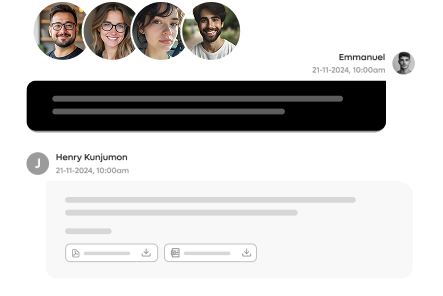 Join growing teams using FlockDesk to manage support tickets, automate workflows, and keep customer conversations organized from one workspace.